Basic Password Authentication in Caddy
June 2025
I was looking for a simple way to require password authentication, and discovered the basic_auth directive for Caddy.
Prerequisites:
All you should need is a server that is running Caddy.
Creating a Password Hash
Before we get started with the Caddyfile modifications, create a hashed version of the password you would like to use using the following command,
replacing yourpassword with the password of your choice.
caddy hash-password --plaintext 'yourpassword'$2a$14$qls8r/NSs3V5O9hdyJ.EO.kXNaQl5A./QZ.aSOQ0Nit0cjqJtodz2yourpassword. Your password hash will be different.
Save this password hash as we will need to add it to the Caddyfile
Creating the Caddyfile
Here is the official caddy documentation Caddyfiles. I will not be going into the basics. So refrence the documentation if needed. This is a simple Caddyfile:
:80 {
    root * /var/www/html
    file_server
}
file_server directive, include the basic_auth directive:
:80 {
    basic_auth * {
        <your_username-here> <generated-hash-here>
    }
    root * /var/www/html
    file_server
    }
sudo systemctl restart caddy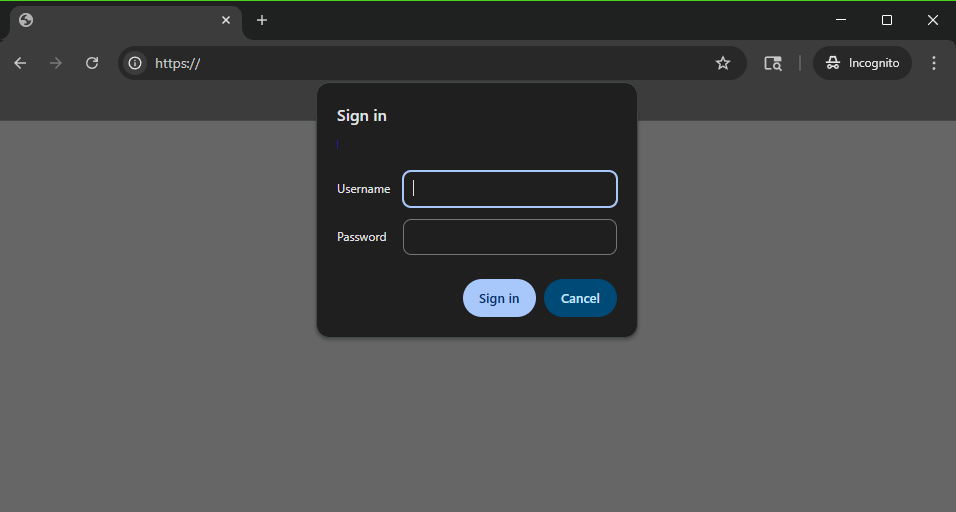 Congrats! Your whole site is now protected behind basic authentication in Caddy! Just a security reminder, make sure that you have strong permissions on your caddyfile so unauthorized
users cannot extract your hash, username, or configuration!
Congrats! Your whole site is now protected behind basic authentication in Caddy! Just a security reminder, make sure that you have strong permissions on your caddyfile so unauthorized
users cannot extract your hash, username, or configuration!
Protecting Specific Files or Directories Behind Basic Authentication
If you have a website that has some public information that doesnt need protected, then some that you want protected behind password authentication (for example, a configuration panel), you can specify which directory paths you want to be protected behind the basic authentication.
:80 {
    root * /var/www/html
    basic_auth /protected/* {
        <your_username-here> <generated-hash-here>
    }
    file_server
}
/var/www/html with the exception of the files located in the /var/www/html/protected
directory. When a user navigates to that directory, they will be prompted for a username and password.